Center Beam
How center the beam and check its position with the YAG scintillator
- Put the YAG screen in place on the PHI axis with the flat side perpendicular to the beam.
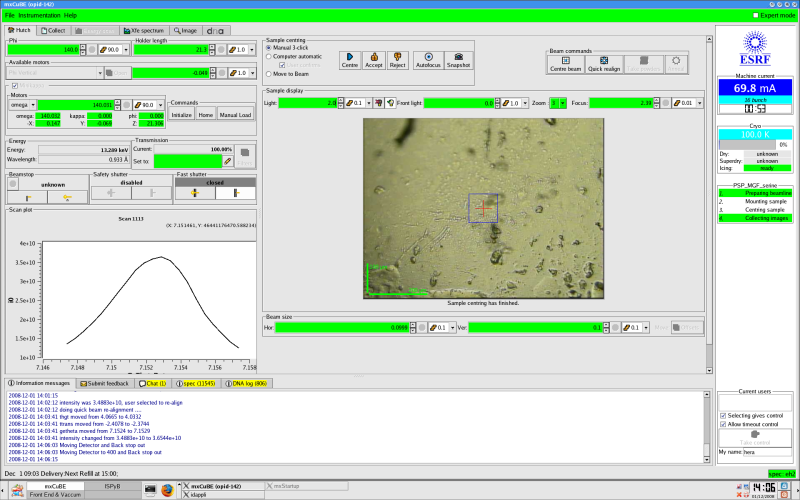
- Put the light in and verify that the fluorescence (green) area is in the beam, if not center it properly. Go to zoom 3 or 4 and focus the image until you can see the YAG details as in the figure below.
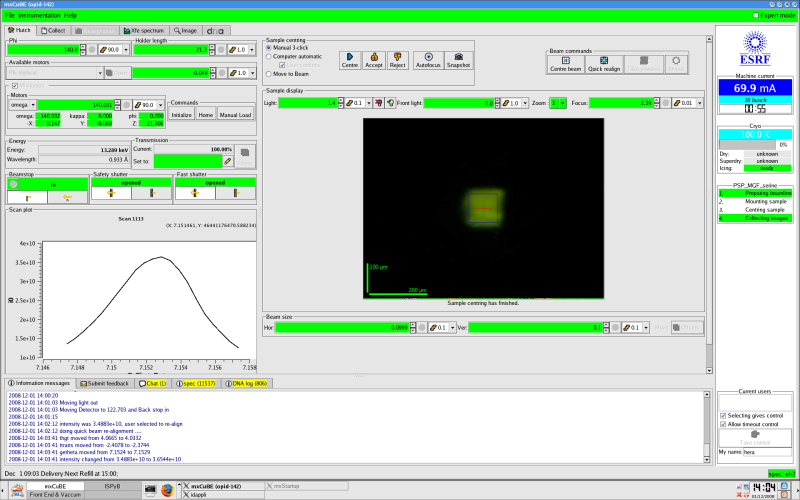
- Put the light out and open the Safety Shutter and the Fast Shutter. A green spot (=the beam) should appear. On the most intense beamlines (i.e. ID23-1) decrease the trasmission to less than 5% to avoid excessive fluorescence. Click on the Center Beam button to center the beam on the red cross and the beam will be automatically re-centred.
- Take out the YAG screen and carry on with your experiment.
On ID29
- Just click on Center beam - scintillator will be inserted automatically, transmission set, and beam centered on rotation axis
- For aperture alignment please refer here
ON ID23-2
- Click on "intrumentation" in mxCuBE
- Select "Scintillator"; open the "Safety shutter" and the "Fast shutter". A green spot should appear. If not, check if the search has been done in the hutch. The green spot (= the beam) should match the red cross; if not, move down the collimator (mvr bstopz -5 in spec(exp)), click on the "CentreBeam" button (next to the "Beam realign" button) and follow the instructions.
- Unselect "Scintillator" from the "intrumentation" menu in mxCuBE.
partners


European Synchrotron Radiation Facility - 71, avenue des Martyrs, CS 40220, 38043 Grenoble Cedex 9, France.